

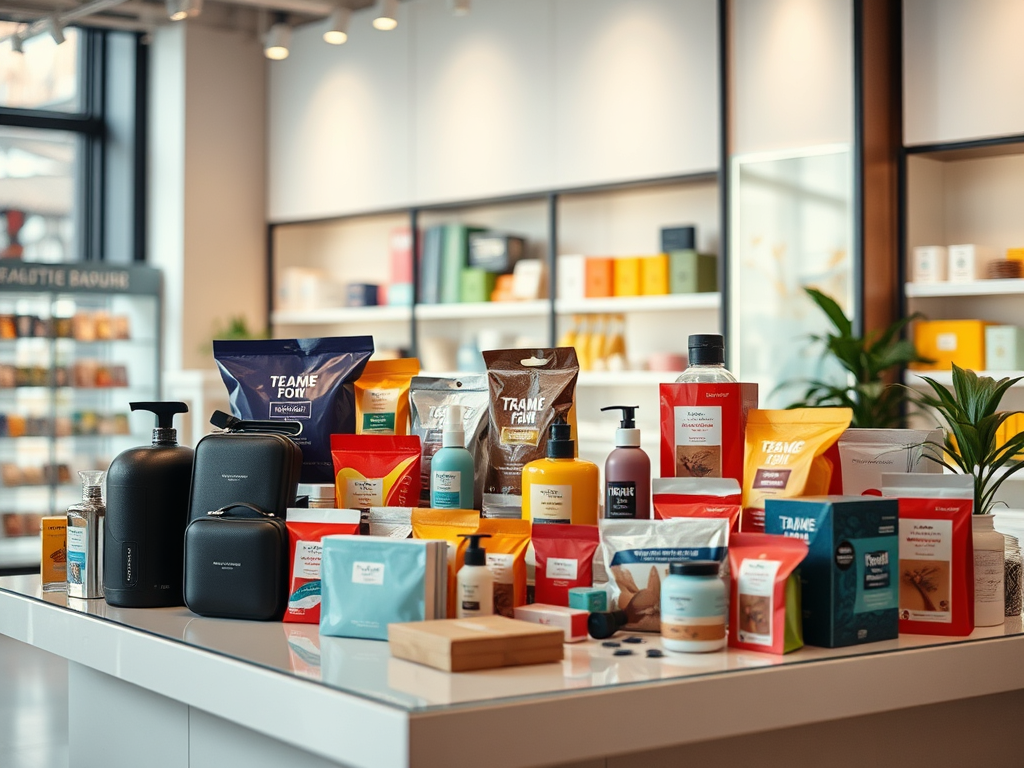
How to Market with Photos on Google My Business
In today’s digital marketplace, your Google Business Profile (formerly Google My Business) serves as a virtual storefront for potential customers. With over 64% of individuals using Google My Business as their primary platform to find contact information for nearby businesses, the quality and presentation of your product photos can significantly impact customer engagement and conversion rates.
Why Product Photography Matters for Your Google Business Profile
Think of your Google Business Profile as your digital shop window. Just as you would carefully arrange physical displays to entice passers-by, your online product photos should create that same window-shopping experience. High-quality, well-optimised product images not only showcase what you sell but also communicate your brand’s professionalism and attention to detail.
When potential customers search for businesses like yours, compelling product photos can be the deciding factor that prompts them to choose your establishment over competitors. Let’s explore how to create and optimise product photos that will make your Google Business Profile stand out.
Technical Requirements for Google Business Profile Product Photos
Before diving into creative strategies, it’s essential to understand the technical specifications required for optimal display:
Image Format and Size Requirements:
- Format: JPG or PNG files only
- File size: Between 10KB and 5MB
- Minimum resolution: 400 x 300 pixels
- Recommended resolution: 1200 x 900 pixels with a 4:3 aspect ratio
For Product Posts:
- Ideal dimensions: 1200 x 900 pixels (4:3 aspect ratio)
- These specifications ensure your images display properly across all devices without unwanted cropping or quality issues
Adhering to these technical guidelines ensures your product photos will display correctly across all Google platforms, including Search and Maps, without unwanted cropping or pixelation.
Creating Professional Product Photos
You don’t need an expensive studio setup to create professional-looking product photos. Here are some practical tips:
Lighting Considerations:
- Use natural light whenever possible for the most accurate colour representation
- Avoid harsh shadows by photographing near a window with diffused light
- For consistent results, consider investing in simple lighting equipment like ring lights
Background Selection:
- Use simple, uncluttered backgrounds that don’t distract from your products9
- White or neutral backgrounds work well for most product photography
- Ensure the product is the clear focal point of each image
Composition Tips:
- Capture products from multiple angles to give customers a comprehensive view
- Include close-ups of important details or features
- Maintain consistent framing and style across all product photos
Remember that Google prioritises authentic images that accurately represent your business. Avoid using heavily edited photos with filters that might misrepresent your products, as this could violate Google’s content policies and harm customer trust.
Types of Product Photos to Include
To create a comprehensive product showcase, include various types of photos:
1. Individual Product Shots
Showcase each product clearly against a clean background. These images should be well-lit, in sharp focus, and show the product from its most flattering angle.
2. Products in Use/Context
Show your products being used or in their natural environment. For example, a clothing store might show outfits being worn, while a restaurant would display meals as they’re served to customers.
3. Product Collections
Feature related products together to encourage additional purchases and showcase the range of your offerings.
4. Seasonal or Special Edition Products
Highlight limited-time offerings or seasonal specialities to create urgency and keep your profile fresh and current.
5. Behind-the-Scenes Product Creation
Share photos of products being made or prepared to add authenticity and build connection with your audience.
Optimising Your Product Photos for Maximum Impact
Beyond meeting technical requirements, consider these strategies to optimise your product photos:
Regular Updates:
Keep your business listing active by uploading new product photos 1-2 times per week. This signals to Google that your business is active and engaged.
Strategic Sequencing:
Prioritise which photos are uploaded first. Your cover photo will be the most prominent image in search results, so choose something that best represents your products or services.
Authentic Representation:
Avoid stock photos in your listing. While they might seem professional, authentic images of your actual products perform better and build trust with potential customers.
Showcase Variety:
Upload different types of products to demonstrate the breadth of your offerings. This helps potential customers understand the full range of what you sell.
Adding Products Using the Product Editor
Google Business Profile offers a dedicated Product Editor feature that allows retail merchants to showcase their products more systematically:
How to Add Products:
- Log into your Google Business Profile account
- From the dashboard menu, select “Edit products”
- Click “Add products”
- Fill in the required information including product name, category, price and description
- Add a high-quality image following the specifications outlined above
- Include a landing page link to create a call-to-action button
- Review all details for accuracy, then click “Publish”
Once published, your products will appear in the Product Catalog and Product Posts carousels, making them more visible to potential customers. Newly added products typically appear within 1-2 minutes.
Important Note: Ensure your products comply with Google’s Shopping Ads Policy. Regulated items like alcohol, tobacco, gambling services, financial services, pharmaceuticals, or health devices are prohibited and could result in the removal of your entire product catalogue.
Industry-Specific Product Photo Tips
Different businesses require different approaches to product photography:
For Restaurants and Food Businesses:
- Capture signature dishes with proper lighting to showcase colours and textures
- Consider photographing food from slightly above to show all components
- Include photos of seasonal menu items or special offerings
For Retail Stores:
- Showcase popular products or seasonal displays
- Include photos of product collections or coordinated items
- Feature new arrivals prominently
For Service-Based Businesses:
- Show before and after results when applicable
- Capture team members providing services to customers
- Highlight speciality services that differentiate your business
Measuring Success and Making Improvements
After implementing these strategies, monitor how your product photos perform:
- Track engagement metrics through your Google Business Profile insights
- Note which product photos generate the most interest or clicks
- Experiment with different styles and compositions to see what resonates with your audience
- Regularly update underperforming photos with fresh alternatives
Common Mistakes to Avoid
When showcasing products on your Google Business Profile, be careful to avoid these common pitfalls:
- Using blurry, dark, or pixelated images that harm your professional image3
- Uploading photos that violate Google’s policies (spammy, inappropriate, or misleading content)
- Neglecting to update photos regularly, which can make your business appear inactive
- Inconsistent photo styles that create a disjointed visual experience
- Overcrowding images with too many products or distracting elements
Conclusion
Effectively showcasing your products with photos on your Google Business Profile is a powerful way to attract customers and drive engagement.
Remember that your Google Business Profile serves as a critical touchpoint in the customer journey. Investing time in high-quality product photography isn’t just about aesthetics-it’s about providing potential customers with the information they need to choose your business with confidence.
Start implementing these strategies today, and watch as your improved product showcase translates into increased visibility, engagement, and ultimately, sales for your business.


 elevaremarketing.co.uk
Leave a comment